SKU: OT704-C87 Número de artículo: AB039 EAN: 8029313760373

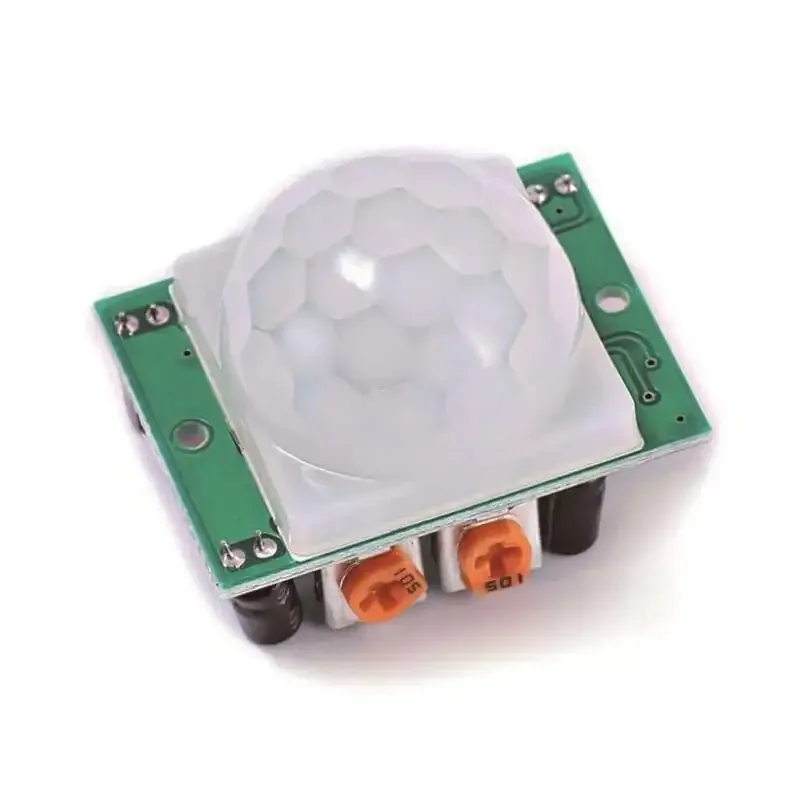
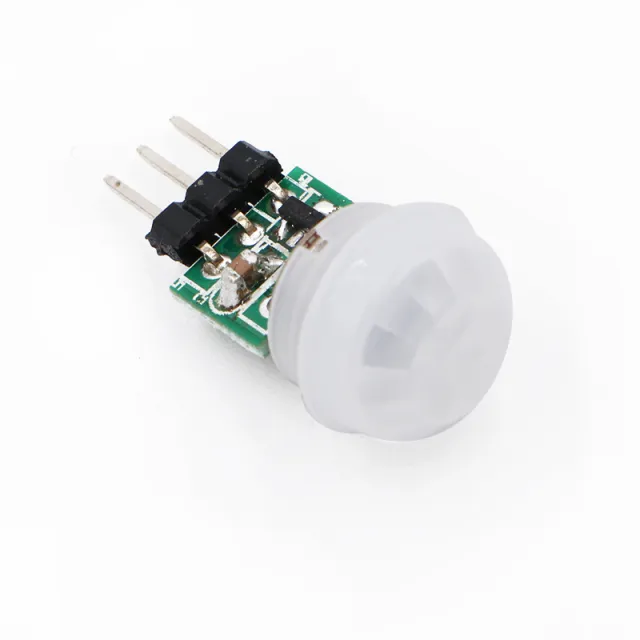
El sensor de movimiento PIR HC-SR501 es un sensor de movimiento infrarrojo con las siguientes especificaciones:
– Distancia de detección: 3-7m.
– Retardo: 5-200s
– Voltaje de salida: 3.3V
- Funciona con: 4.5-20V
– Ángulo de detección: <140°.
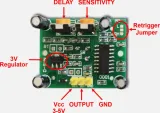
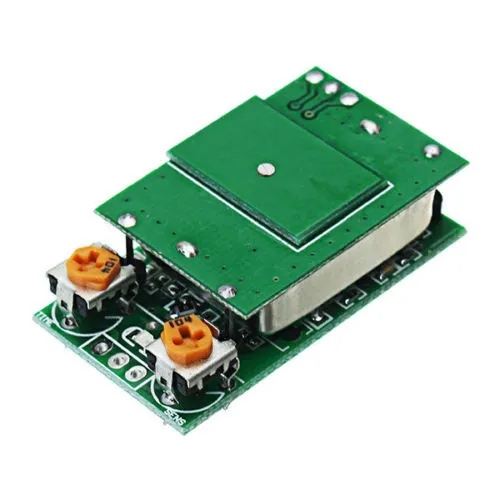
El sensor de movimiento PIR HC-SR501 infrarrojo PIR detecta movimiento. Cuando se detecta movimiento, proporciona una señal de 3.3v en el pin de salida; el tiempo es ajustable mediante el potenciómetro VR1. La distancia de detección es ajustable de 3-7 metros mediante el potenciómetro VR2.
Al reproducirlo, se carga el vídeo de YouTube.
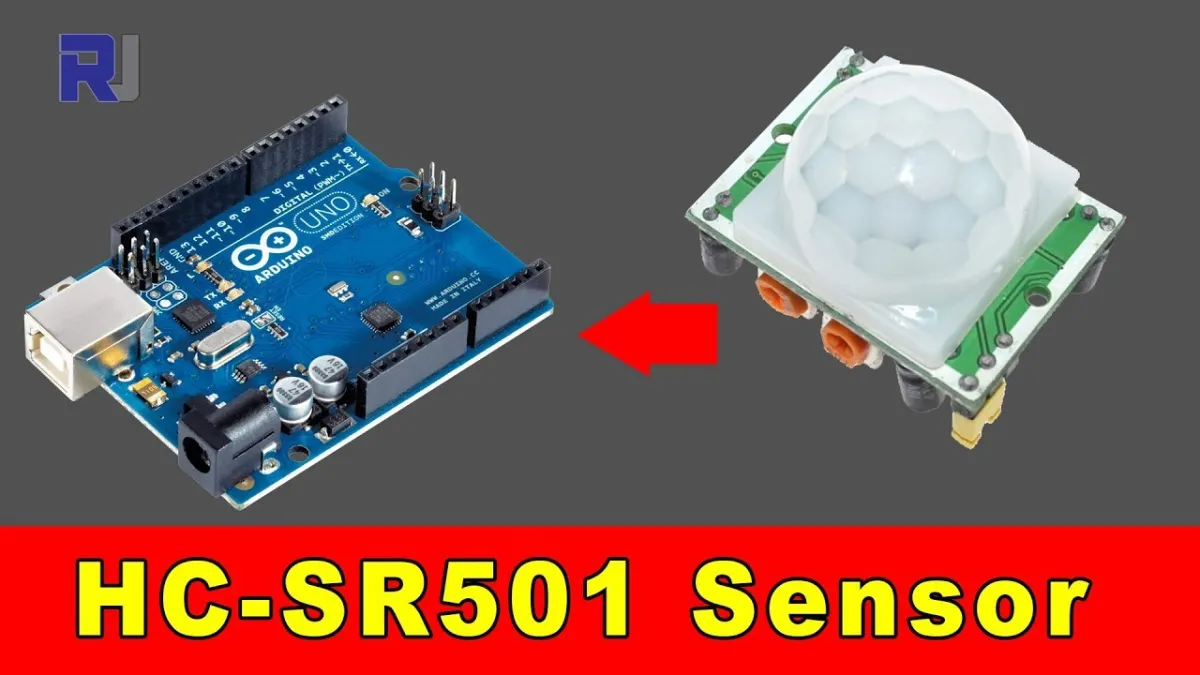
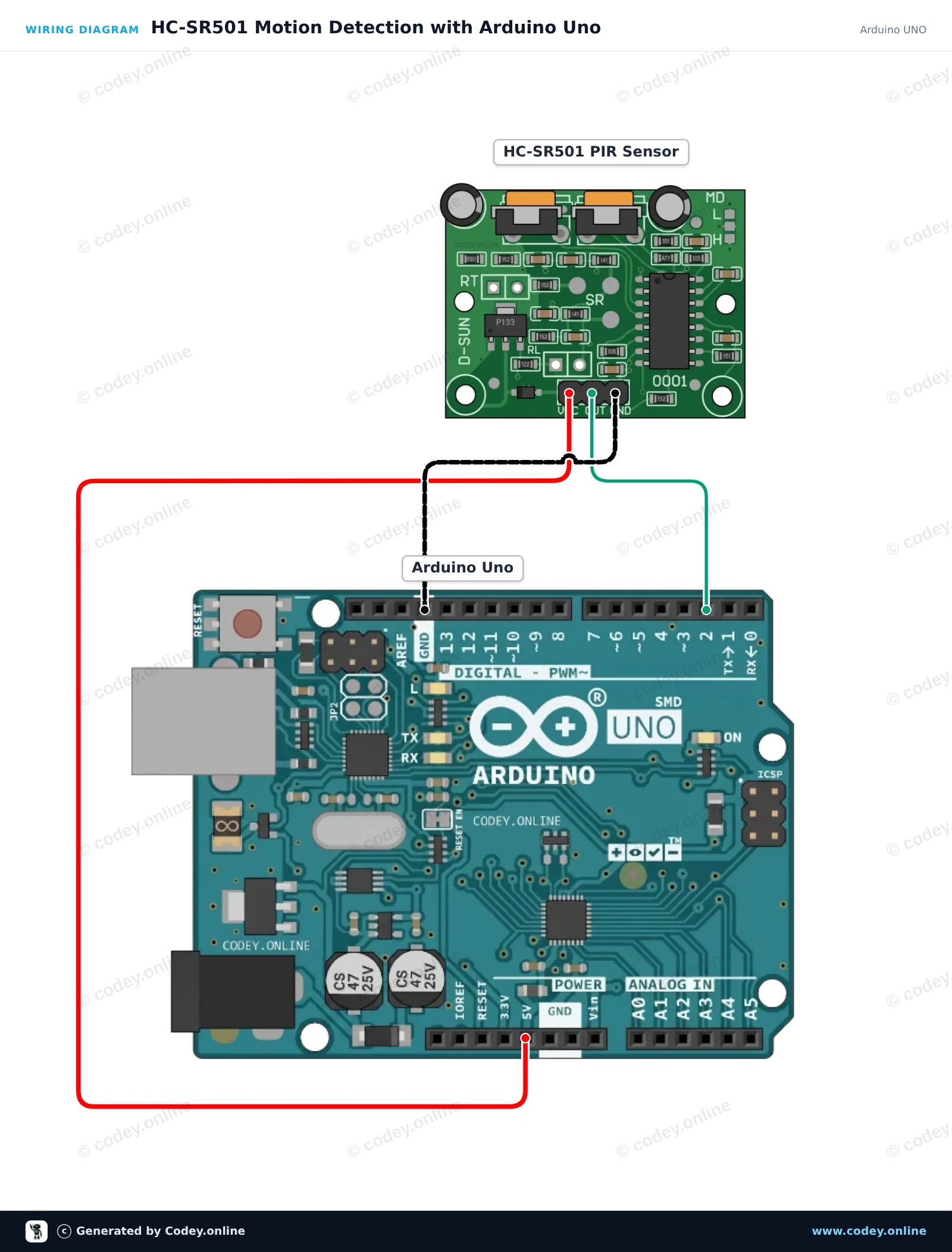
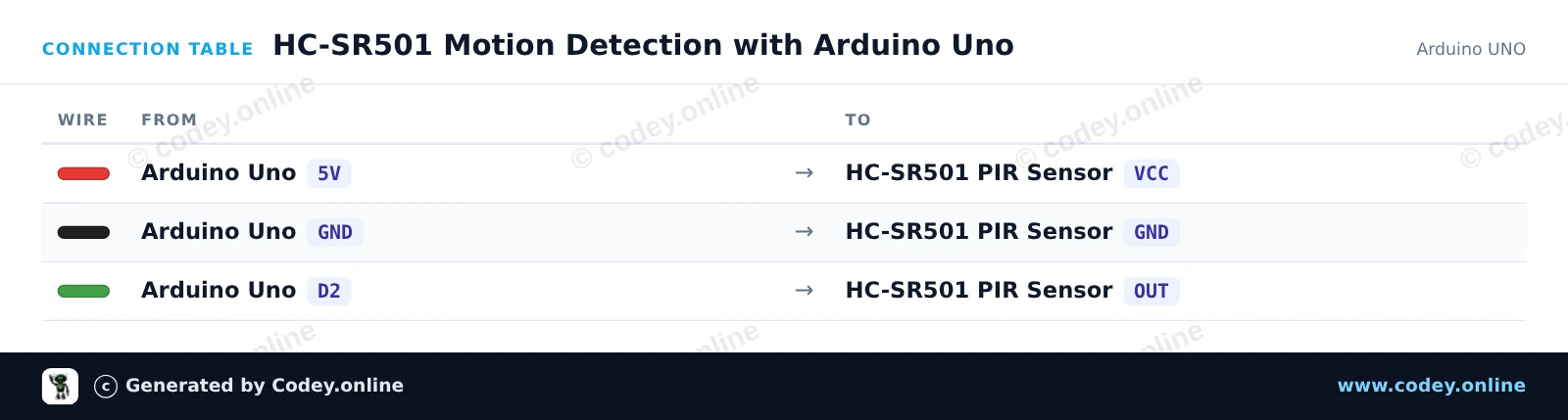
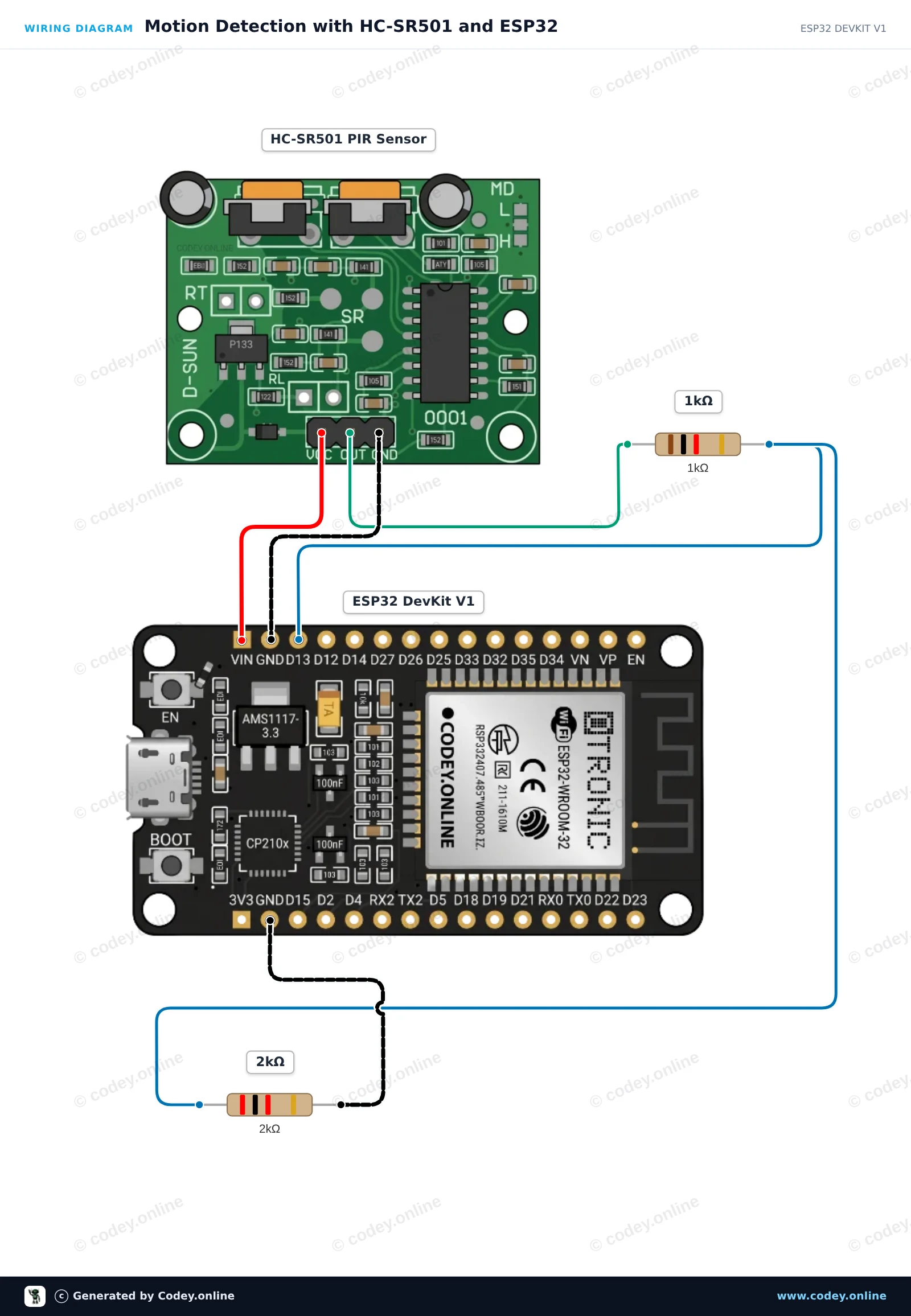
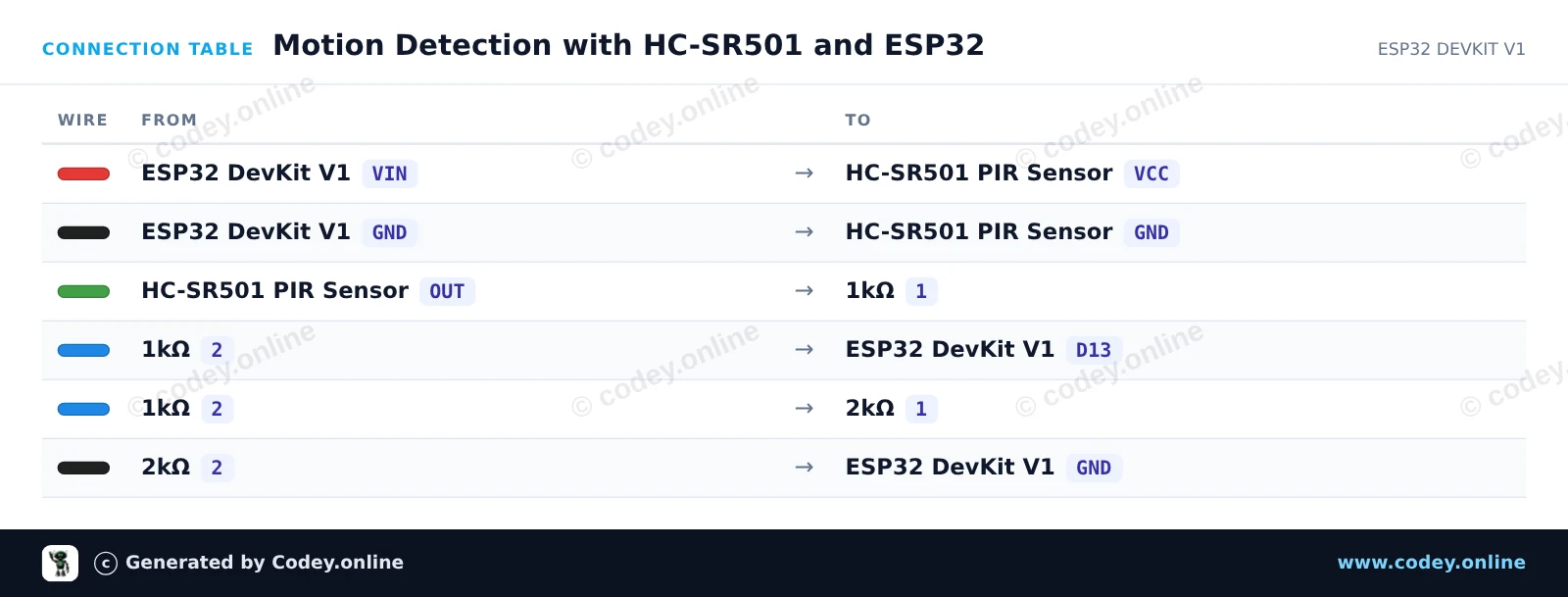
Así conectas el Sensor PIR HC-SR501 Sensor de movimiento a un Arduino UNO o ESP32, con un sketch de ejemplo que puedes subir directamente.
Este proyecto detecta el movimiento humano usando el sensor PIR HC-SR501. Cuando se detecta movimiento, el pin de salida del sensor pasa a HIGH, encendiendo el LED onboard e imprimiendo una alerta en el Serial Monitor. Abre el Serial Monitor a 115200 baud para ver el estado del movimiento en tiempo real.
/*
 * ==================================================================
 *  Generated by Codey.online  —  https://www.codey.online
 * ==================================================================
 *  Project   : HC-SR501 Motion Detection with Arduino Uno
 *  Board     : Arduino UNO (arduino:avr:uno)
 *  Parts     : HC-SR501 PIR Motion Sensor
 *  Libraries : none (built-in)
 *
 *  Codey Online is an AI-powered browser IDE for Arduino and ESP32.
 *  Describe your project and Codey writes the code, draws the wiring
 *  diagram and uploads it to your board, straight from the browser.
 *  This code is free to use, modify and share, without warranty.
 * ==================================================================
 */

// HC-SR501 PIR Motion Sensor Demo

const int PIR_PIN = 2;
const int LED_PIN = 13;

int lastState = LOW;

void setup() {
  pinMode(PIR_PIN, INPUT);
  pinMode(LED_PIN, OUTPUT);

  Serial.begin(115200);
  Serial.println(F("HC-SR501 PIR Motion Sensor Initialized"));
  Serial.println(F("Warming up sensor (approx. 30-60 seconds)..."));
}

void loop() {
  int motionState = digitalRead(PIR_PIN);

  if (motionState != lastState) {
    if (motionState == HIGH) {
      digitalWrite(LED_PIN, HIGH);
      Serial.println(F("Motion detected!"));
    } else {
      digitalWrite(LED_PIN, LOW);
      Serial.println(F("Motion ended."));
    }
    lastState = motionState;
  }

  delay(100);
}Wiring diagram and example code generated by Codey.online — https://www.codey.online
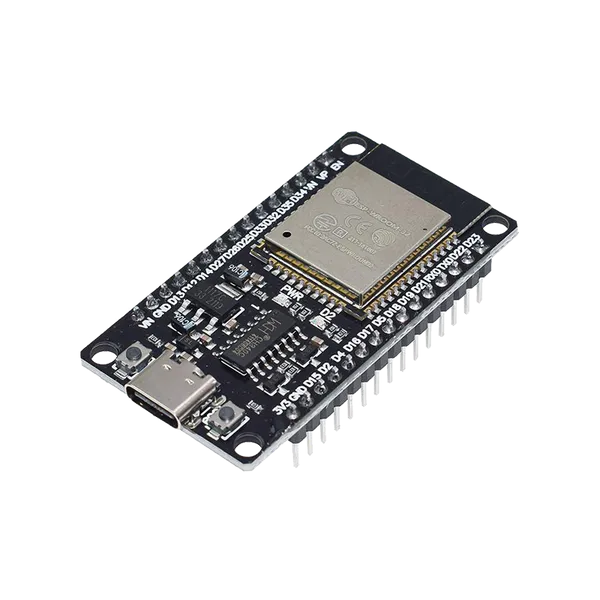
Este proyecto detecta movimiento usando un sensor PIR HC-SR501. El sensor se alimenta desde el pin 5V VIN, y un divisor de tensión con resistencias de 1kΩ/2kΩ conecta de forma segura la salida del sensor con la entrada de 3.3V del ESP32. Cuando se detecta movimiento, el LED onboard se ilumina y se envía una notificación al Serial Monitor.
/*
 * ==================================================================
 *  Generated by Codey.online  —  https://www.codey.online
 * ==================================================================
 *  Project   : Motion Detection with HC-SR501 and ESP32
 *  Board     : ESP32 DEVKIT V1 (esp32:esp32:esp32doit-devkit-v1)
 *  Parts     : HC-SR501 PIR Motion Sensor
 *  Libraries : none (built-in)
 *
 *  Codey Online is an AI-powered browser IDE for Arduino and ESP32.
 *  Describe your project and Codey writes the code, draws the wiring
 *  diagram and uploads it to your board, straight from the browser.
 *  This code is free to use, modify and share, without warranty.
 * ==================================================================
 */

// HC-SR501 PIR Motion Sensor Demo
const int PIR_PIN = 13;      // Connected to HC-SR501 OUT via divider
const int LED_PIN = 2;       // Onboard LED

int lastState = LOW;

void setup() {
  Serial.begin(115200);
  pinMode(PIR_PIN, INPUT);
  pinMode(LED_PIN, OUTPUT);

  Serial.println("HC-SR501 Sensor warming up (approx. 30-60s)...");
  delay(2000);
  Serial.println("Ready to detect motion.");
}

void loop() {
  int motion = digitalRead(PIR_PIN);

  if (motion != lastState) {
    if (motion == HIGH) {
      digitalWrite(LED_PIN, HIGH);
      Serial.println("Motion detected!");
    } else {
      digitalWrite(LED_PIN, LOW);
      Serial.println("Motion ended.");
    }
    lastState = motion;
  }

  delay(50);
}Wiring diagram and example code generated by Codey.online — https://www.codey.online





 English
  Nederlands
  Frans
Frans  Deutsch
  Italiano
  Suomi
Suomi  Polski
  Dansk
Dansk  Ελληνικά
  Български
  Čeština
  Hrvatski
  Svenska
  Aileen