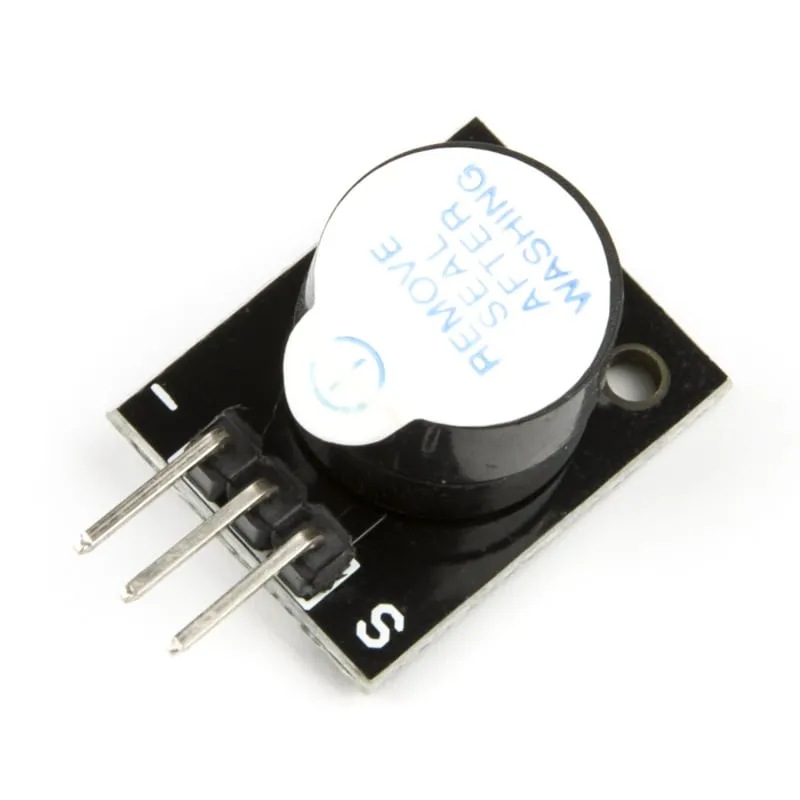
SKU: OT2001-D123 Número de artículo: AB011 EAN: 8598008139881

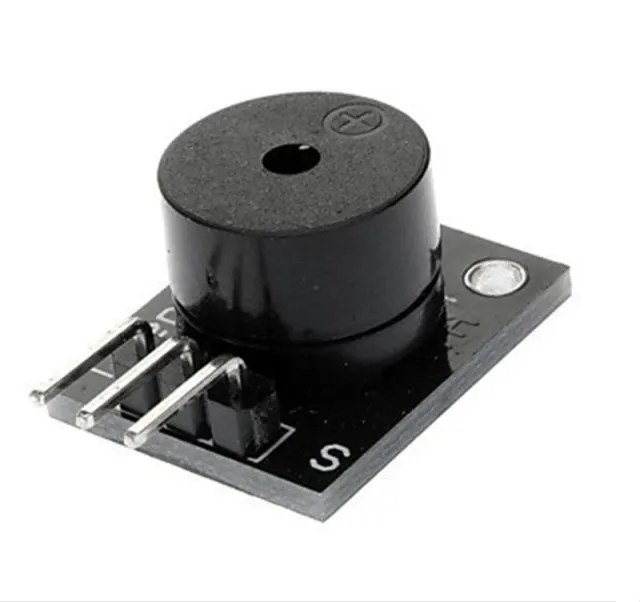
Un módulo zumbador activo para tu proyecto Arduino.
Dimensiones
Longitud: 1,9cm
Anchura: 1,5cm
Altura: 1,2cm
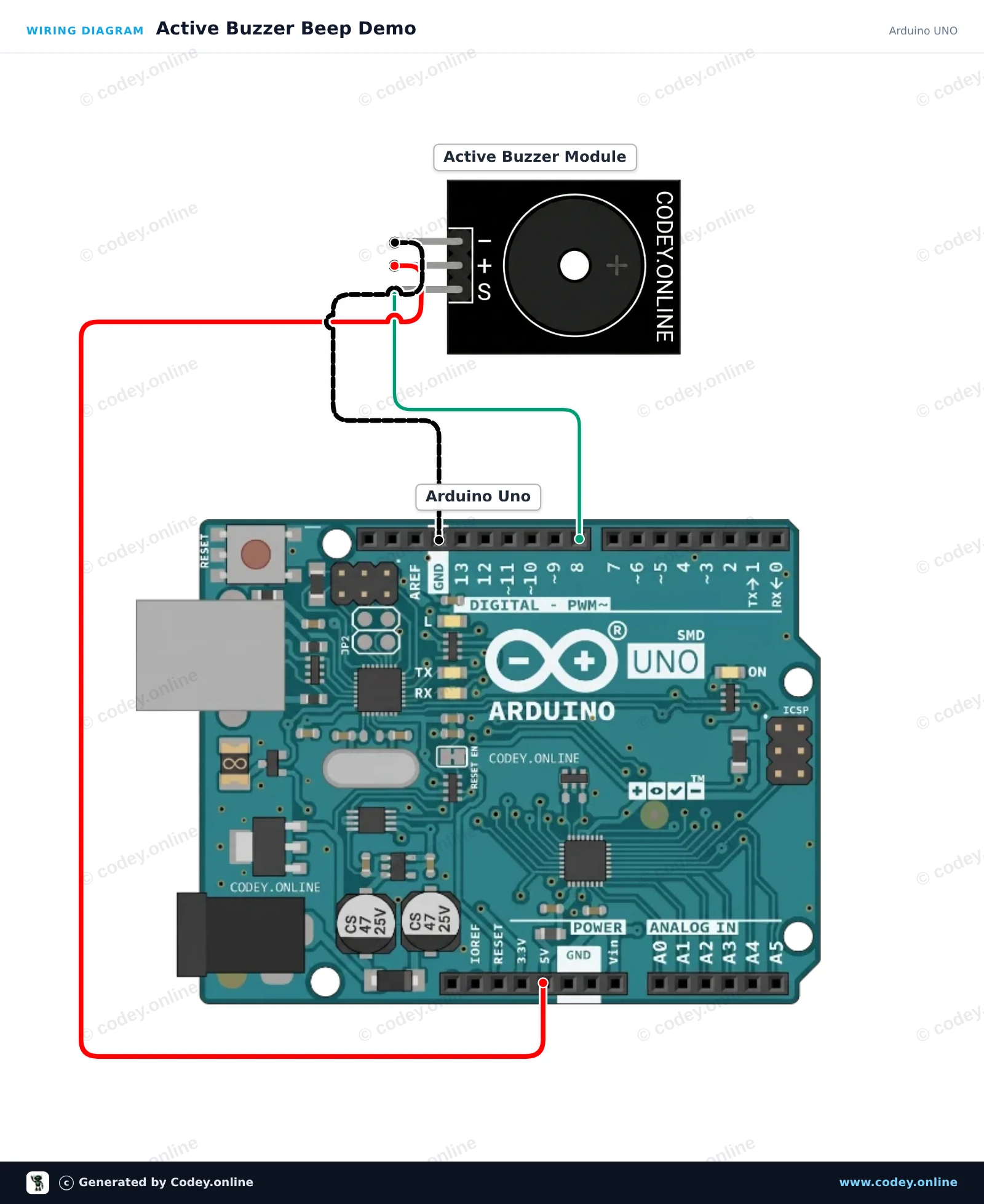
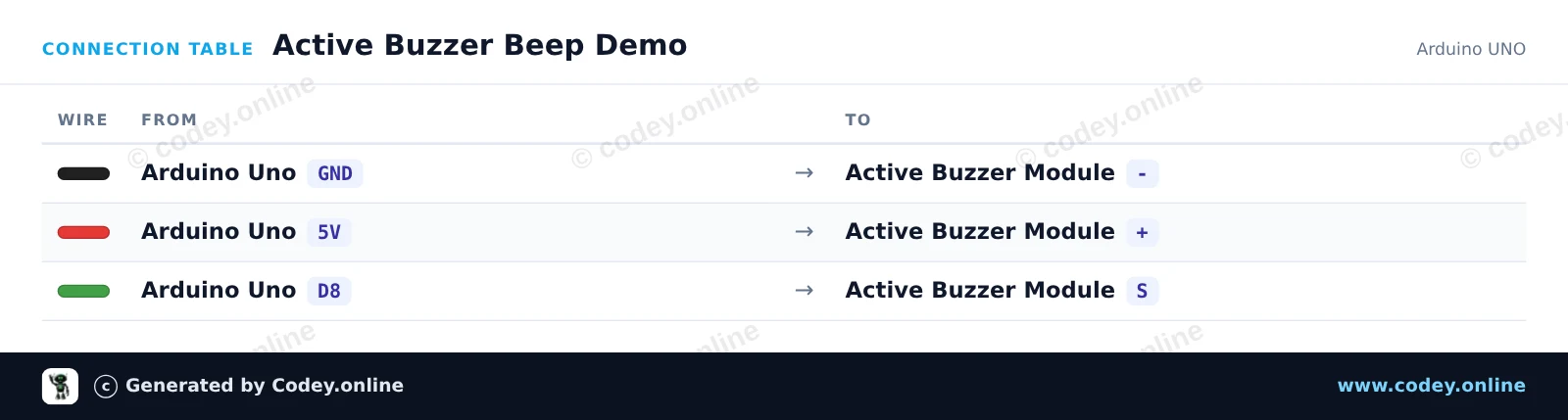
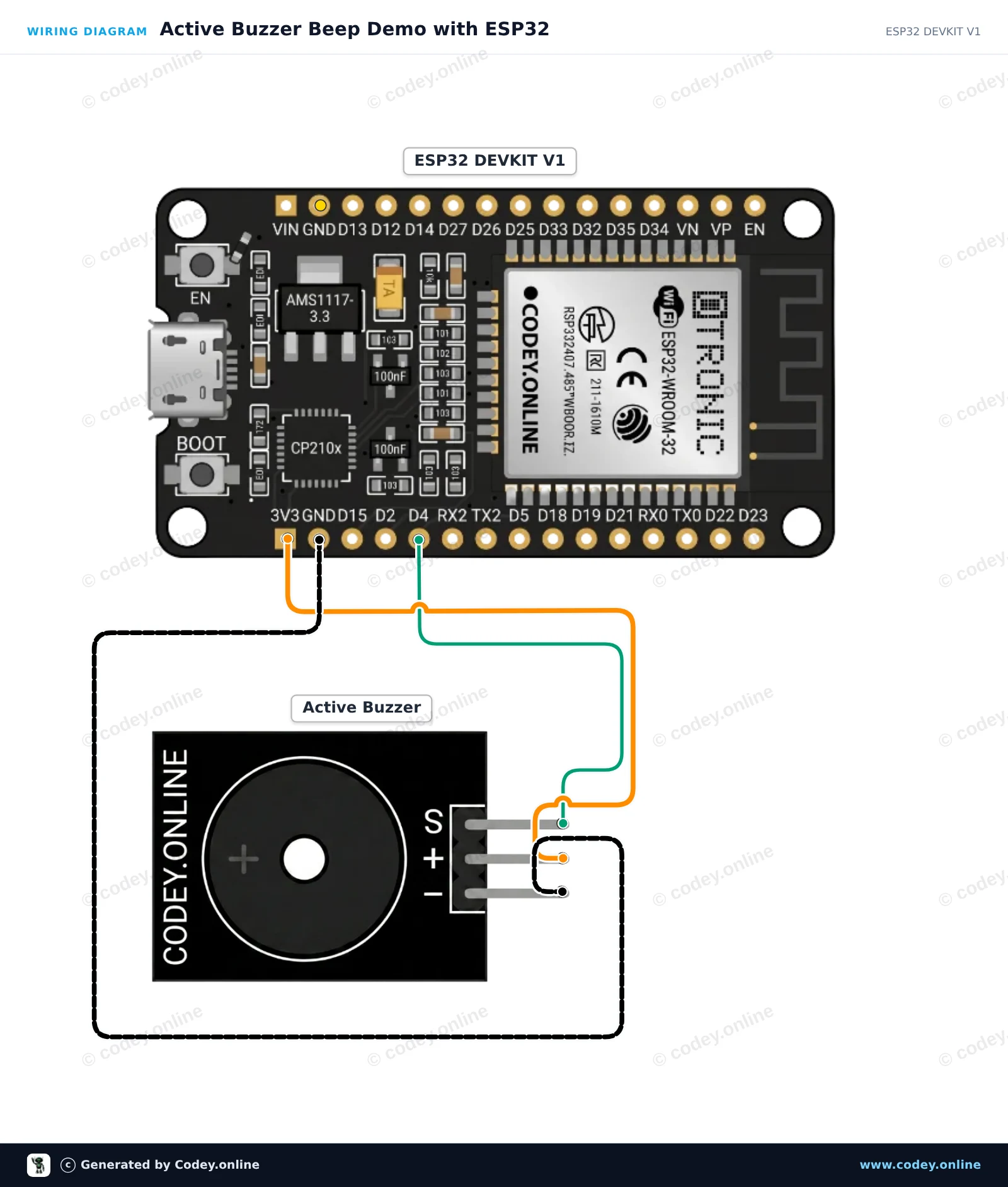
Así conectas el Módulo zumbador activo a un Arduino UNO o ESP32, con un sketch de ejemplo que puedes subir directamente.
Este proyecto muestra cómo controlar un módulo active buzzer con un Arduino Uno. El active buzzer genera un tono de frecuencia fija cada vez que el pin de señal se pone en HIGH. El código enciende y apaga repetidamente el buzzer para crear un sencillo patrón de aviso sonoro.
/*
 * ==================================================================
 *  Generated by Codey.online  —  https://www.codey.online
 * ==================================================================
 *  Project   : Active Buzzer Beep Demo
 *  Board     : Arduino UNO (arduino:avr:uno)
 *  Parts     : Active Buzzer Module
 *  Libraries : none (built-in)
 *
 *  Codey Online is an AI-powered browser IDE for Arduino and ESP32.
 *  Describe your project and Codey writes the code, draws the wiring
 *  diagram and uploads it to your board, straight from the browser.
 *  This code is free to use, modify and share, without warranty.
 * ==================================================================
 */

const int BUZZER_PIN = 8;

void setup() {
  pinMode(BUZZER_PIN, OUTPUT);
  Serial.begin(115200);
  Serial.println(F("Active Buzzer Demo Ready"));
}

void loop() {
  // Turn the buzzer on
  Serial.println(F("Buzzer ON"));
  digitalWrite(BUZZER_PIN, HIGH);
  delay(200);

  // Turn the buzzer off
  Serial.println(F("Buzzer OFF"));
  digitalWrite(BUZZER_PIN, LOW);
  delay(800);
}Wiring diagram and example code generated by Codey.online — https://www.codey.online
Este proyecto muestra cómo controlar un módulo de buzzer activo usando un ESP32. El sketch enciende y apaga el buzzer en un patrón de pitidos repetitivo mientras muestra el estado actual en el Serial Monitor.
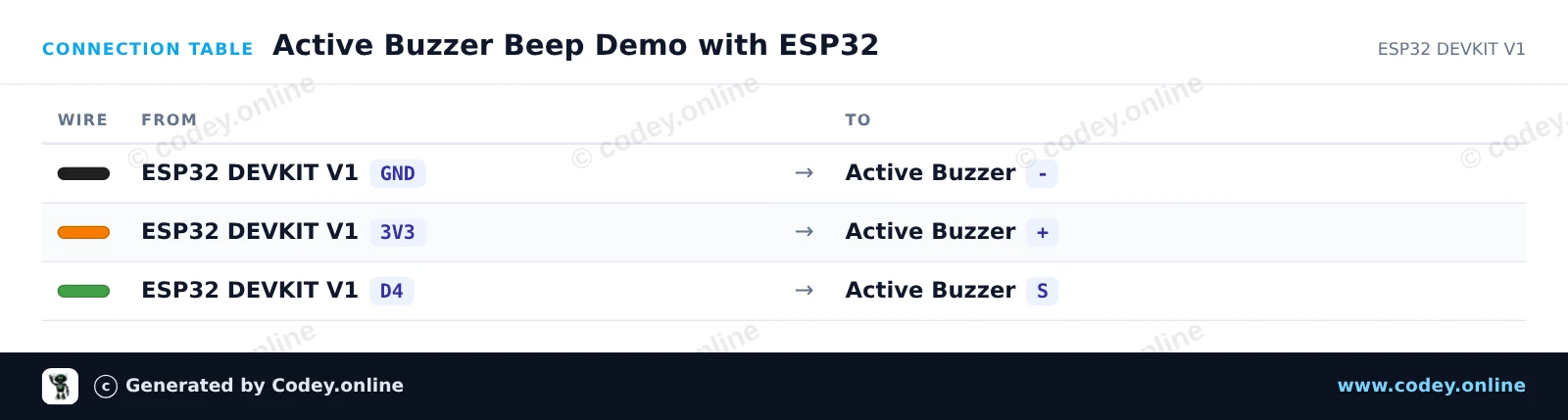
/*
 * ==================================================================
 *  Generated by Codey.online  —  https://www.codey.online
 * ==================================================================
 *  Project   : Active Buzzer Beep Demo with ESP32
 *  Board     : ESP32 DEVKIT V1 (esp32:esp32:esp32doit-devkit-v1)
 *  Parts     : Active Buzzer Module
 *  Libraries : none (built-in)
 *
 *  Codey Online is an AI-powered browser IDE for Arduino and ESP32.
 *  Describe your project and Codey writes the code, draws the wiring
 *  diagram and uploads it to your board, straight from the browser.
 *  This code is free to use, modify and share, without warranty.
 * ==================================================================
 */

// Active Buzzer Demo for ESP32 DEVKIT V1
// Connect the buzzer signal pin to GPIO 4 (D4 on silkscreen)

const int BUZZER_PIN = 4;

void setup() {
  Serial.begin(115200);
  pinMode(BUZZER_PIN, OUTPUT);
  digitalWrite(BUZZER_PIN, LOW);
  Serial.println("Active Buzzer Demo Ready");
}

void loop() {
  // Turn the buzzer ON
  Serial.println("Buzzer ON");
  digitalWrite(BUZZER_PIN, HIGH);
  delay(200);

  // Turn the buzzer OFF
  Serial.println("Buzzer OFF");
  digitalWrite(BUZZER_PIN, LOW);
  delay(200);

  // Second beep
  Serial.println("Buzzer ON");
  digitalWrite(BUZZER_PIN, HIGH);
  delay(200);

  // Pause between beep sequences
  Serial.println("Buzzer OFF (Pause)");
  digitalWrite(BUZZER_PIN, LOW);
  delay(1000);
}Wiring diagram and example code generated by Codey.online — https://www.codey.online





 English
  Nederlands
  Frans
Frans  Deutsch
  Italiano
  Suomi
Suomi  Polski
  Dansk
Dansk  Ελληνικά
  Български
  Čeština
  Hrvatski
  Aileen