SKU: OT2118-A47 Número de artículo: NA509 EAN: 8324968584702

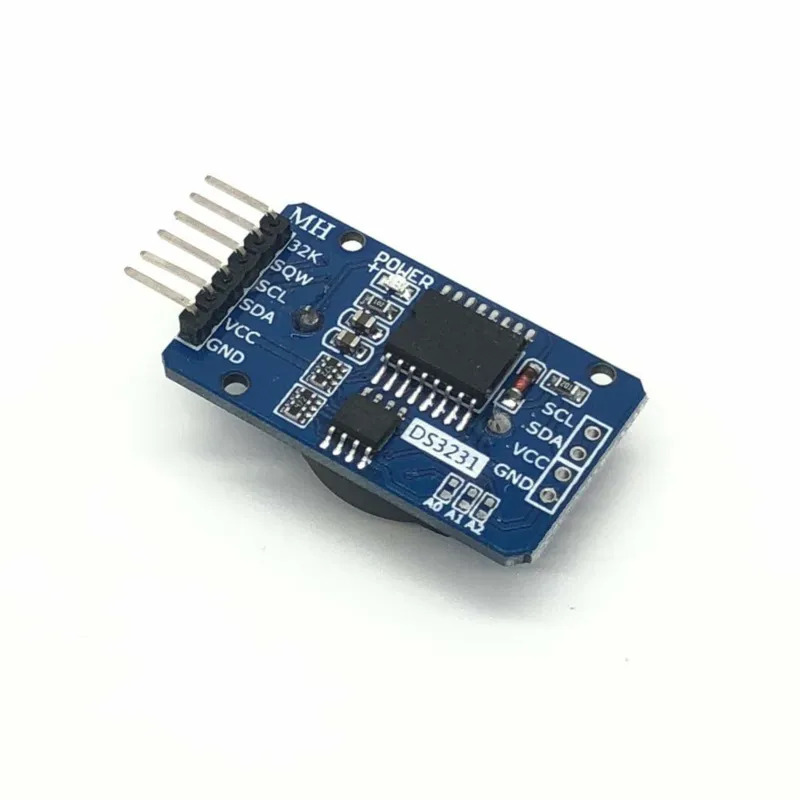
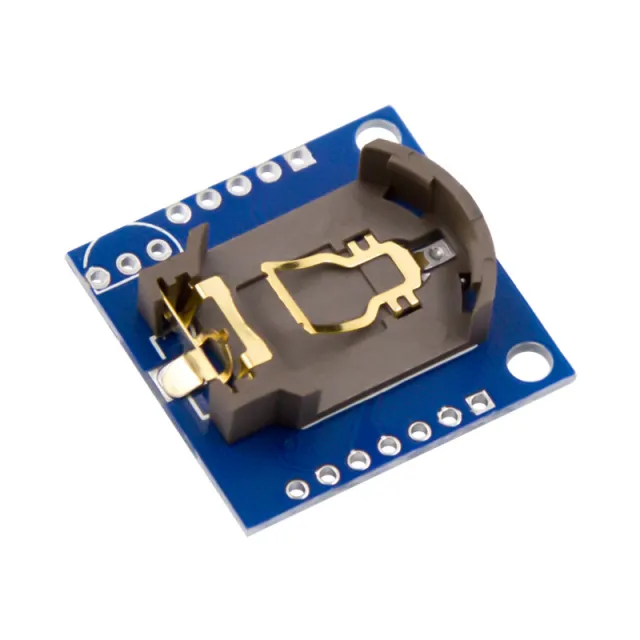
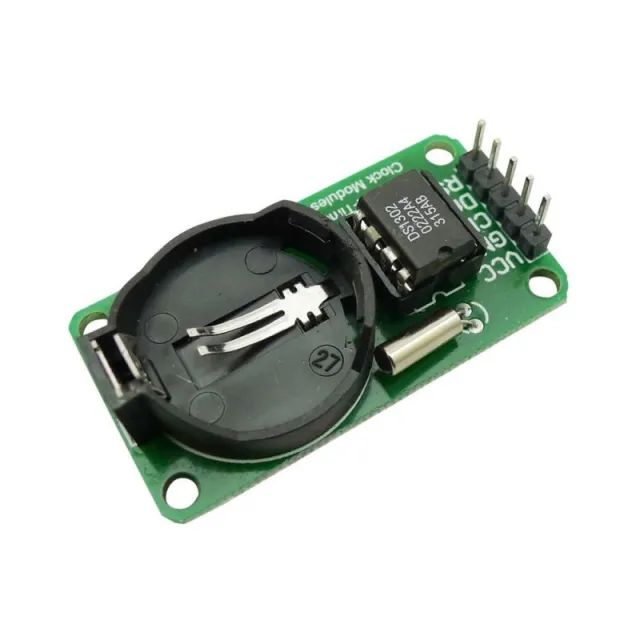
Módulo de reloj en tiempo real con el chip DS3231 (. Este módulo hace que el Arduino conozca en todo momento la hora exacta. Al conectar el Arduino al pin ´sqw´, es posible generar una interrupción cada segundo con la que se pueden activar valores de sensores o una pantalla.
Comunicación: interfaz I2C.
Mantiene la hora con precisión, incluso cuando el módulo no está conectado (batería de respaldo)
Año - mes - día hora : minuto : segundo
Conexión para disparo externo con intervalo (1Hz, 4kHz, 8kHz, 32kHz)
56 Bytes de memoria no volátil
Mayor precisión que el DS1307
Chip de memoria adicional: AT24C32 (32K bytes)
Sensor de temperatura integrado (desviación de ±3 °C)
Se entrega sin batería
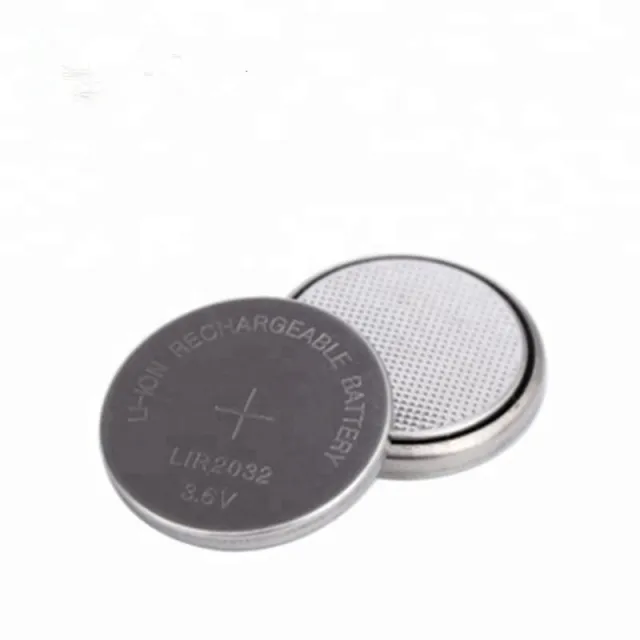
Atención, use batería recargable LIR2032
Dimensiones
Longitud: 3,9cm
Ancho: 2,2cm
Altura: 1,2cm
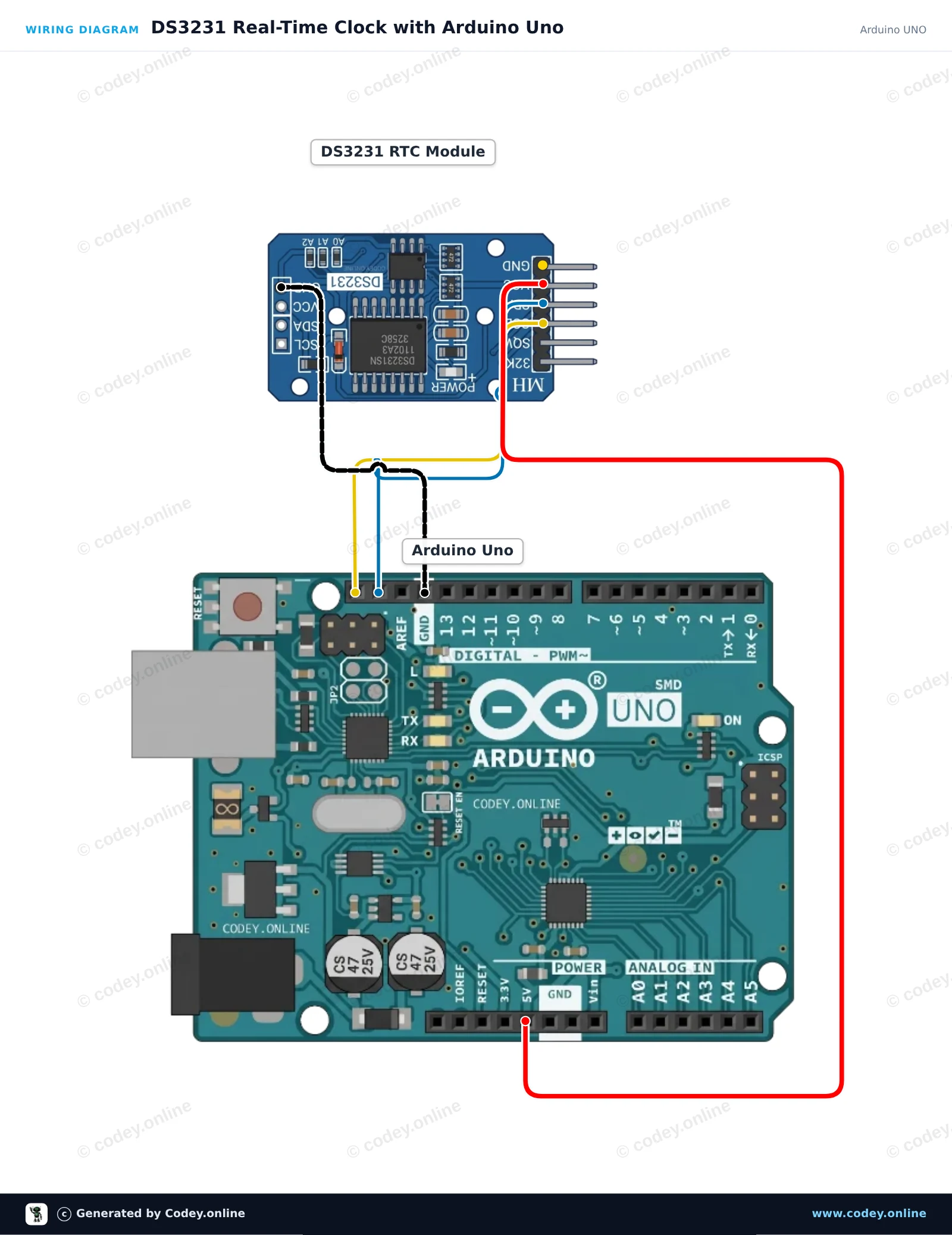
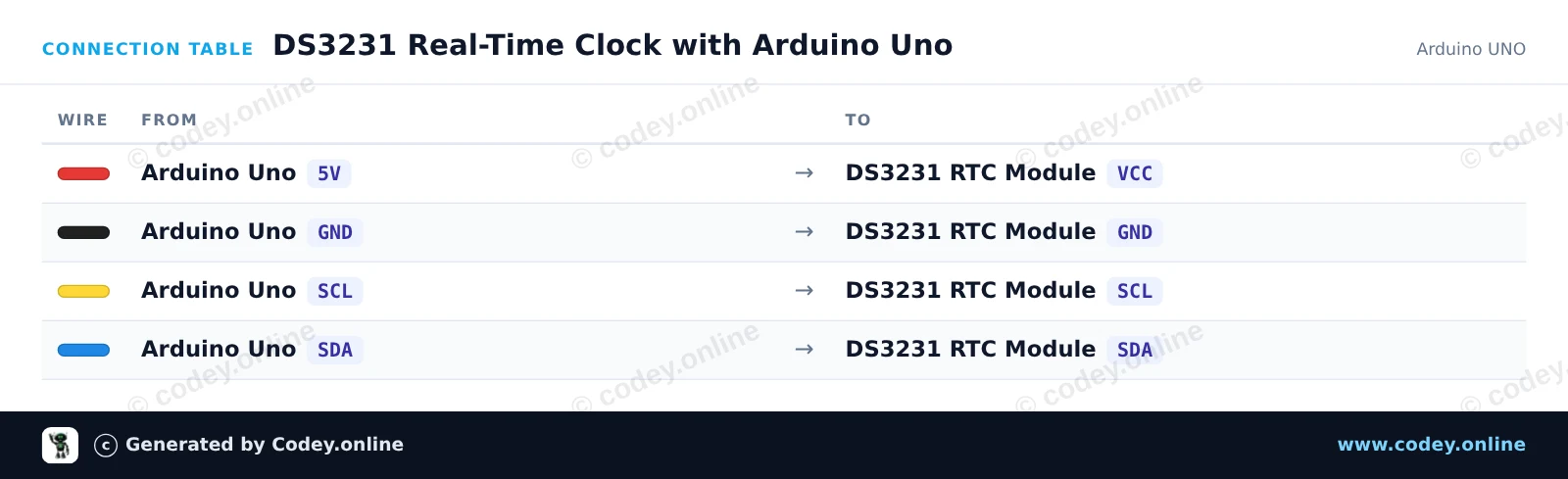
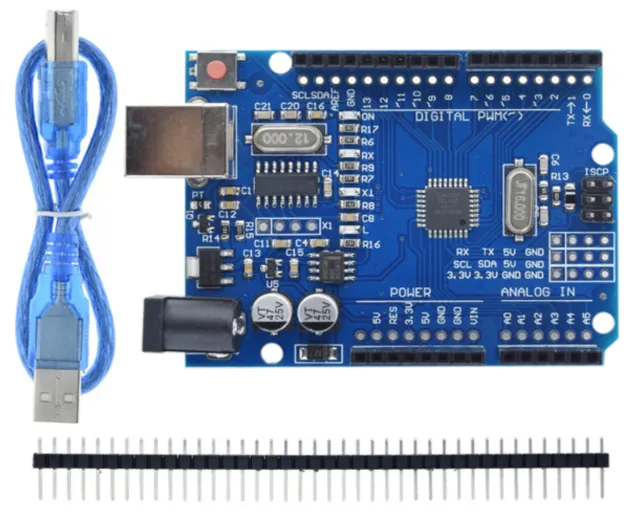
Así conectas el Módulo de reloj en tiempo real DS3231 I2C (RTC de alta precisión) a un Arduino UNO o ESP32, con un sketch de ejemplo que puedes subir directamente.
Este proyecto conecta un módulo RTC DS3231 de alta precisión a un Arduino Uno mediante I2C. El sketch ajusta la RTC a la hora de compilación si se perdió la alimentación, y luego lee e imprime en el Serial Monitor cada segundo la fecha, la hora y las lecturas del sensor de temperatura integrado, con formato.
/*
 * ==================================================================
 *  Generated by Codey.online  —  https://www.codey.online
 * ==================================================================
 *  Project   : DS3231 Real-Time Clock with Arduino Uno
 *  Board     : Arduino UNO (arduino:avr:uno)
 *  Parts     : DS3231 Real Time Clock Module I2C
 *  Libraries : RTClib 2.1.4
 *
 *  Codey Online is an AI-powered browser IDE for Arduino and ESP32.
 *  Describe your project and Codey writes the code, draws the wiring
 *  diagram and uploads it to your board, straight from the browser.
 *  This code is free to use, modify and share, without warranty.
 * ==================================================================
 */

#include <Wire.h>
#include <RTClib.h>

RTC_DS3231 rtc;

void setup() {
  Serial.begin(115200);
  while (!Serial);

  if (!rtc.begin()) {
    Serial.println(F("Couldn't find DS3231 RTC"));
    while (1) delay(10);
  }

  if (rtc.lostPower()) {
    Serial.println(F("RTC lost power, setting time to compile time..."));
    rtc.adjust(DateTime(F(__DATE__), F(__TIME__)));
  }

  Serial.println(F("DS3231 RTC initialized."));
}

void loop() {
  DateTime now = rtc.now();

  char dateBuffer[11];
  char timeBuffer[9];
  snprintf(dateBuffer, sizeof(dateBuffer), "%04d-%02d-%02d", now.year(), now.month(), now.day());
  snprintf(timeBuffer, sizeof(timeBuffer), "%02d:%02d:%02d", now.hour(), now.minute(), now.second());

  Serial.print(F("Date: "));
  Serial.print(dateBuffer);
  Serial.print(F(" | Time: "));
  Serial.print(timeBuffer);
  Serial.print(F(" | Temp: "));
  Serial.print(rtc.getTemperature());
  Serial.println(F(" C"));

  delay(1000);
}Bibliotecas necesarias: RTClib 2.1.4
Wiring diagram and example code generated by Codey.online — https://www.codey.online
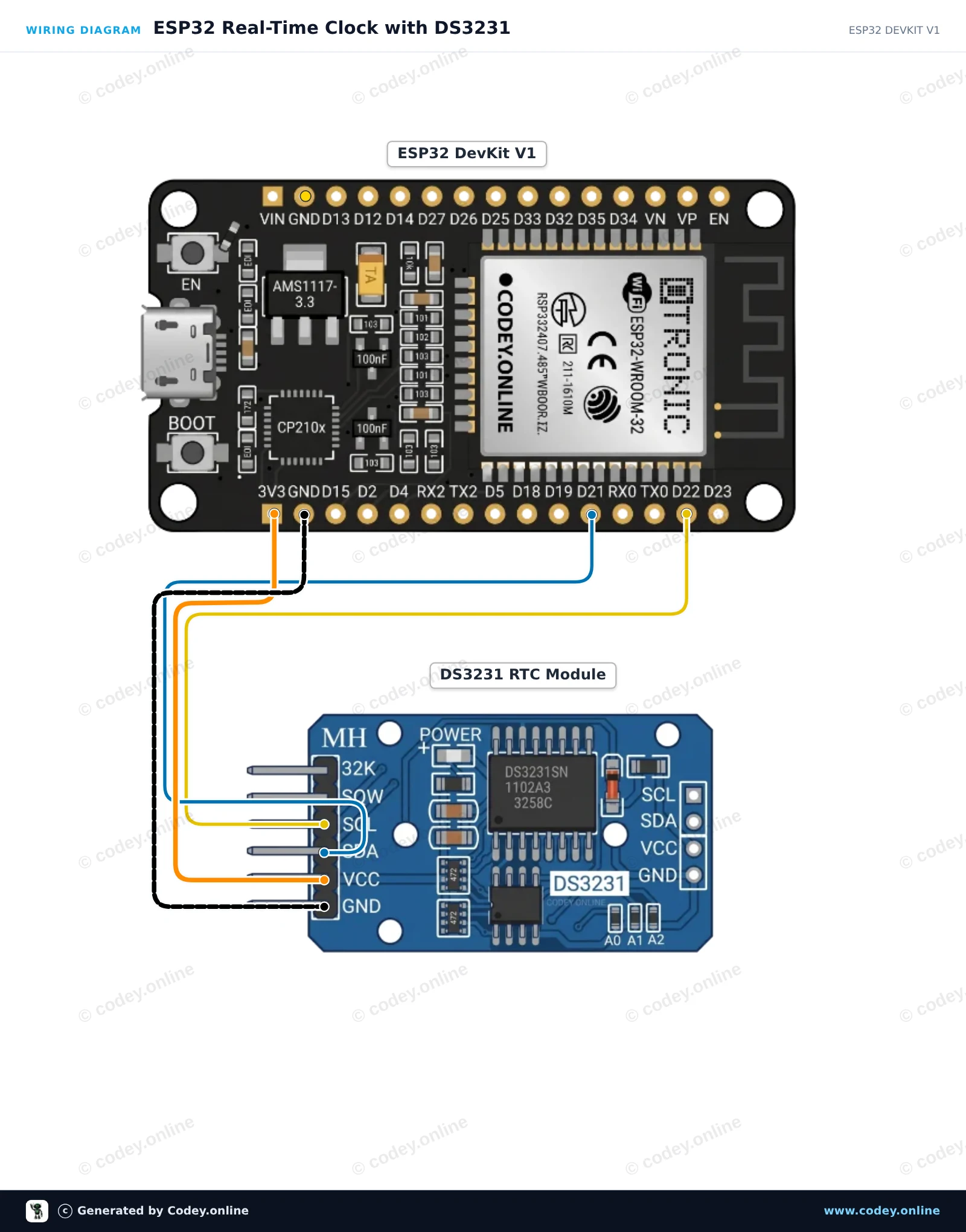
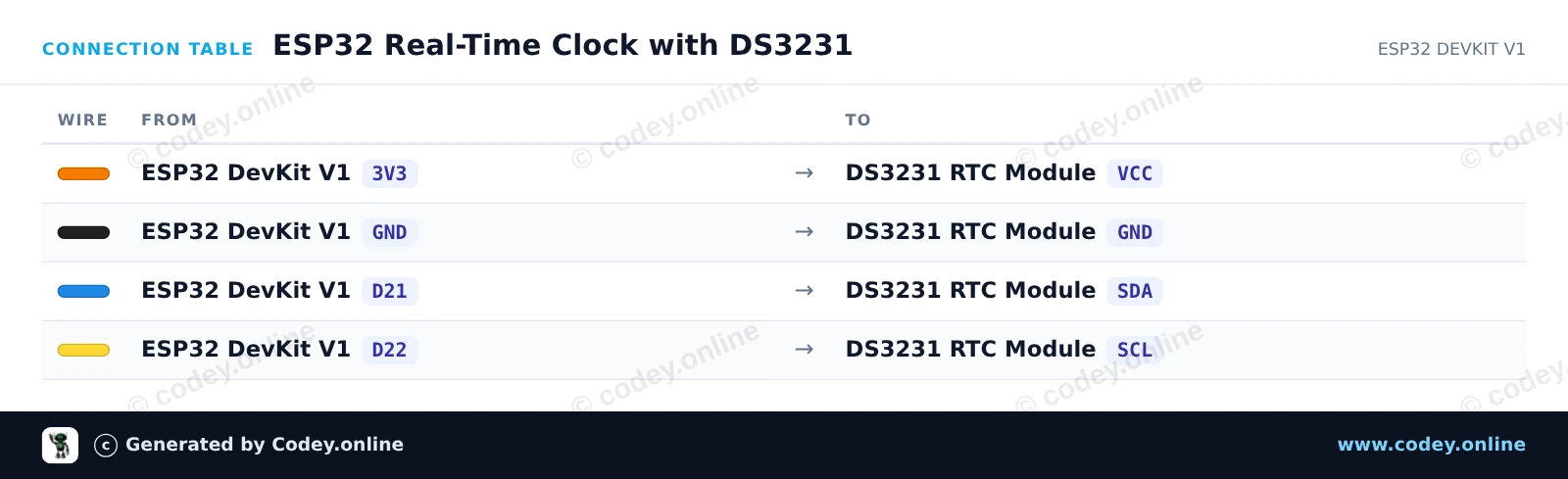
Este proyecto lee la fecha, la hora y la temperatura interna actuales del módulo Real Time Clock DS3231 mediante I2C. Conecta el módulo a la línea de 3.3V del ESP32 y a los pines I2C predeterminados, luego abre el Serial Monitor a 115200 baud para ver la marca de tiempo en vivo.
/*
 * ==================================================================
 *  Generated by Codey.online  —  https://www.codey.online
 * ==================================================================
 *  Project   : ESP32 Real-Time Clock with DS3231
 *  Board     : ESP32 DEVKIT V1 (esp32:esp32:esp32doit-devkit-v1)
 *  Parts     : DS3231 Real Time Clock Module I2C
 *  Libraries : RTClib 2.1.4
 *
 *  Codey Online is an AI-powered browser IDE for Arduino and ESP32.
 *  Describe your project and Codey writes the code, draws the wiring
 *  diagram and uploads it to your board, straight from the browser.
 *  This code is free to use, modify and share, without warranty.
 * ==================================================================
 */

#include <Wire.h>
#include "RTClib.h"

RTC_DS3231 rtc;

void setup() {
  Serial.begin(115200);
  while (!Serial) { delay(10); }

  Wire.begin(21, 22); // SDA = GPIO 21, SCL = GPIO 22

  if (!rtc.begin()) {
    Serial.println("Couldn't find DS3231 RTC module!");
    while (1) delay(10);
  }

  if (rtc.lostPower()) {
    Serial.println("RTC lost power, setting time to compilation time!");
    rtc.adjust(DateTime(F(__DATE__), F(__TIME__)));
  }
}

void loop() {
  DateTime now = rtc.now();

  char buffer[30];
  snprintf(buffer, sizeof(buffer), "%04d-%02d-%02d %02d:%02d:%02d",
           now.year(), now.month(), now.day(),
           now.hour(), now.minute(), now.second());

  Serial.print("Current Time: ");
  Serial.print(buffer);
  Serial.print(" | Temp: ");
  Serial.print(rtc.getTemperature());
  Serial.println(" °C");

  delay(1000);
}Bibliotecas necesarias: RTClib 2.1.4
Wiring diagram and example code generated by Codey.online — https://www.codey.online






 English
  Nederlands
  Frans
Frans  Deutsch
  Italiano
  Suomi
Suomi  Polski
  Dansk
Dansk  Ελληνικά
  Български
  Čeština
  Hrvatski
  Aileen